PT-ankle Setup
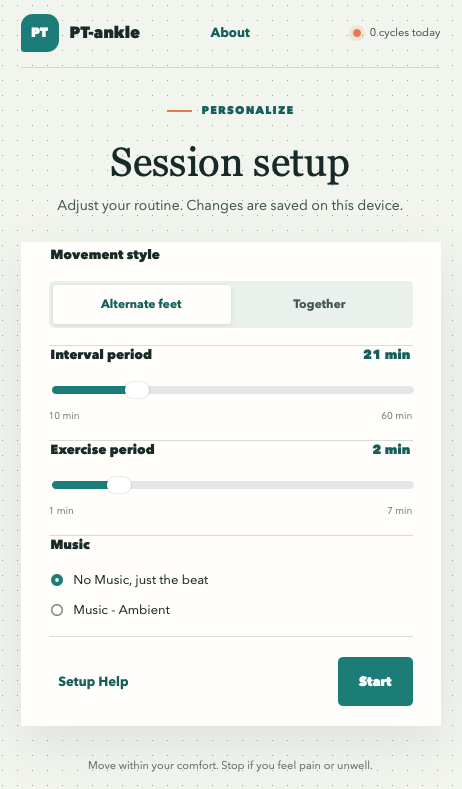
This setup page applies to the web app version and allows users to adjust some PT-ankle features. Mobile versions are coming.
Movement Style
You can select to move your feet alternately or together by clicking the respective button. Changes are saved locally.
Timing
The default timing values are 2 minutes of exercise after 21 minutes of interval. You can vary the interval and the exercise period, but beware the tendency to overdo this. You are at work, or relaxing, not at the gym.
Music
Music is available to enhance the standard beat. Webapp versions may need to enable sound on the browser.
The Ambient music track was created specifically for this app by renowned digital composer Mike Rittenhouse.
Start
The Start button will open a popup window for the exercise period. This may shrink to a small square for the interval, depending on platform and browser. Follow the instructions and images with your feet. Some browsers can challenge popups, so you may have to allow them or resize manually.
Icon
You can add the webapp icon to your mobile:
Apple iOS:
- Go to the Safari app on your iPhone.
- Go to the website.
- Tap share
.
- Scroll down the list of options, then tap Add to Home Screen.
- Tap Add.
Android:
Open the Chrome browser and navigate to the website. Tap the three-dot menu in the top-right corner and select “Add to Home screen,” then confirm to create the shortcut.